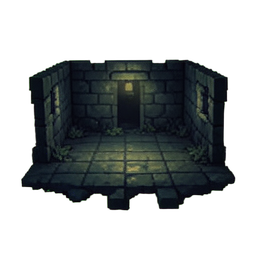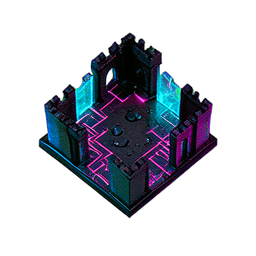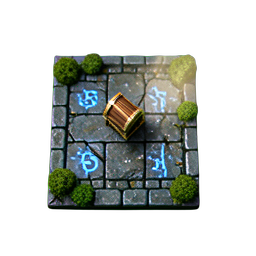
The first technical decision in any 2D pixel game is the one most easily skipped: how big is one tile? It looks like a detail. It is, in fact, the choice that locks in your art workload, animation budget, content density, screen layout, and target hardware for the rest of the project.
Get it right and the rest of production flows. Get it wrong and you end up redrawing 200 tiles three months in, because every sprite you made looks tiny on a modern monitor or because your protagonist sits awkwardly on top of a doorway that should have swallowed her.
This guide walks through the three sizes that cover 95% of indie 2D games — 16×16, 32×32, and 64×64 — with the trade-offs that matter when you actually start drawing.
Why Tile Size Matters More Than You Think
Tile size is upstream of four production constraints that compound as the project grows.
Content density. A 1280×720 viewport at native scale fits 80×45 tiles at 16×16, 40×22 at 32×32, and 20×11 at 64×64. That means a single screen of a 16×16 game is roughly 16× the visual area of a 64×64 game. If you want sprawling environments without forcing the player to walk for an hour, smaller tiles win. If you want each tile to feel meaningful and detailed, larger tiles win.
Art workload. Filling a 16×16 stone block takes roughly 5 minutes for an experienced pixel artist. The same idea at 32×32 takes 15-20 minutes — not 4× longer, because the time isn't linear in pixel count. At 64×64 the same tile becomes a small painting: 45-60 minutes, requiring real shading and edge work. A solo dev shipping 200 environment tiles is looking at 16 hours, 60 hours, or 200 hours depending on this one decision.
Animation frames. A 4-frame walk cycle is 4 sprites you draw. At 32×32 each frame is detailed enough that pose matters; at 64×64 you start needing 8-frame cycles to avoid jitter, and each frame demands hand-tuned shading. Animation cost scales harder than static tile cost.
Resolution targeting. At native scale, a 16×16 game on a 1080p monitor is unplayable — sprites are 5mm tall. Scaling solves this but introduces filtering choices (Pixel Perfect Camera in Unity, or integer scaling in Godot). Choose your tile size, then decide your scale factor based on target devices.
The 16×16 Tile — Classic Retro
Best for: roguelikes, top-down RPGs in the SNES tradition, factory/management sims, mobile-first games.
Stardew Valley uses 16×16 base tiles upscaled 4× at runtime. CrossCode runs at 16×16. Caves of Qud, Dwarf Fortress (in tileset mode), and most of the procedural roguelike scene live here. So does the Game Boy aesthetic — which is enjoying a real revival in 2026 thanks to Steam Deck players nostalgic for handheld feel.
What you get: the highest content density per hour of art time. A single artist can fill a small village's worth of unique tiles in a week. Limited palettes (32 colors or less) feel intentional rather than constrained. Animations stay readable with just 2-4 frames.
What you give up: detail. A 16×16 character has roughly a 6×6 face — eyes, nose, and mouth become 1-pixel features each. Subtle expression is impossible; you compensate with body language and exaggerated poses. Architecture also flattens — a 16×16 door is one tile, a window is two pixels, depth cues vanish.

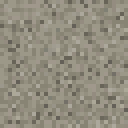
A free starting point: cobblestone-tile-b3 is a 16×16 cobblestone tile that demonstrates the constraints — every pixel has to do work because there are only 256 of them.
The 32×32 Tile — The Sweet Spot
Best for: modern indie 2D RPGs, action-adventure, top-down shooters, metroidvania, JRPG-style games.
Hyper Light Drifter, Eastward (interior tiles), Tunic, Children of Morta, and most of the post-2020 indie hits sit here. There's a reason: 32×32 is where pixel art stops looking like nostalgia and starts looking like a deliberate aesthetic choice. A 32×32 character has roughly a 10×10 face — enough room for actual eye color, hair detail, gear distinctions. Architecture supports doorways, windows with mullions, recognizable furniture.
The trade-off: roughly 3-4× the art time per tile compared to 16×16 (not 4× — diminishing returns kick in as you stop counting individual pixels). A solo dev who could fill a Stardew-sized world at 16×16 in a year needs 2-3 years at 32×32, or has to lean heavily on procedural generation and asset packs.
Common pitfall: using a 32×32 tile grid but drawing 24×24 characters. The character ends up sitting 4 pixels off the floor or jamming into walls. Pick a tile size, then make characters fill that grid honestly — usually 1.5× to 2× the tile height, so a 32×32 tile pairs with a 48×64 or 32×48 character.
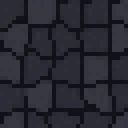
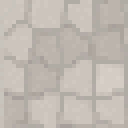
A free starting point: dungeon-stone-floor-32 is a 32×32 dungeon floor tile that gives you a sense of the detail budget.
For a fuller starter set, browse the tilesets category — most assets there sit at 32×32.
The 64×64 Tile — HD Pixel Art
Best for: cinematic 2D, story-driven adventures, games with heavy environment storytelling, "HD-2D" hybrids.
Octopath Traveler popularized this look with its 32×32 character sprites in 64×64+ environments rendered with 3D-style lighting on top. Sea of Stars, Eastward (exterior shots), Triangle Strategy, and most of the Square Enix HD-2D revival use this size class. Some teams call it "high-resolution pixel art" or "HD pixel."
What you get: real visual richness. Backgrounds support depth, lighting, weather, atmosphere — things you simply cannot fit into a 16×16 sprite. Cinematic camera moves work. Characters can express through facial micro-detail. Environments can carry narrative through visible damage, signs, posters, and so on.
What you give up: every advantage of pixel art's production economics. A 64×64 tile is closer to digital painting than to traditional pixel work. Most teams shipping at this resolution either have multi-person art teams (Square Enix-tier) or use heavy procedural support and asset reuse. A solo dev attempting 64×64 from scratch usually ships a 4-hour demo, not a 20-hour game.
The honest path for solo devs at this resolution: lean on existing asset packs for environments, hand-craft only the protagonist and key NPCs. Mix HD-2D style assets for cutscenes with smaller pixel work for general gameplay.
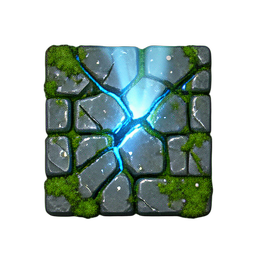
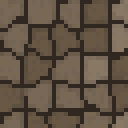
A free starting point: cobblestone-cracked-hd2d is a 256×256 HD-2D cobblestone tile — the same subject as the 16×16 example above, redone at painting-grade detail. The contrast is the whole story of what you gain and what you spend.
Decision Matrix
Your project type tells you which size to pick:
- Roguelike, deck-builder, factory sim, mobile-first → 16×16. Density and quick iteration matter more than per-tile beauty.
- Top-down or side-scrolling indie RPG, metroidvania, action-adventure → 32×32. The default for a reason.
- Story-driven adventure, walking sim, narrative-focused puzzle → 64×64 if you have the art budget; otherwise 32×32 with careful framing.
- Game jam (48 hours) → 16×16. You will not finish at 32×32. Trust this.
- First-ever 2D game, learning the engine → 32×32. Forgiving on alignment errors, common asset packs available, easy to scale up later if needed.
If you're stuck between two sizes, pick the smaller one. Scaling up is harder than scaling down — adding detail to existing tiles is real labor, while shrinking 32×32 tiles to 16×16 (with palette reduction) takes minutes per tile.
Common Mistakes That Cost Months
Sub-pixel movement. A character moves at 0.7 pixels per frame and ends up rendered with anti-aliasing or flickering between two pixel positions. Fix: round all transform positions to whole pixels per frame in your engine. In Godot, enable Pixel Perfect Camera. In Unity, use the Pixel Perfect Camera component on the main camera and set Pixels Per Unit to your tile size.
Engine-side scaling. Drawing 16×16 sprites and letting Unity scale them to fill a 1080p screen with bilinear filtering. The result looks like blurry mush. Fix: use point/nearest filtering on all pixel art textures, and do integer scaling (2×, 3×, 4×) — never fractional.
Character-tile mismatch. A 24×24 character on a 32×32 grid sits 4 pixels off the ground tile. Fix: characters should be exactly 1× to 2× the tile height. A 32×32 grid pairs with 32×32 (top-down RPG), 32×48 (side platformer), or 32×64 (tall protagonist) sprites — never 24 or 28.
Mixing tile sizes mid-project. You start at 16×16, then a friend says it looks dated, so you redo a few rooms at 32×32. Now you have two art styles, two scaling factors, and inconsistent character proportions. Fix: pick once, commit, and only allow size changes during designated visual overhauls.
Free CC0 Tilesets to Start Building Today
For 16×16: search the tilesets category and filter mentally for the smaller-looking assets — most cobblestone, grass, and floor tiles in that size are CC0 and ready to drop into your project.
For 32×32 (the most common indie size): browse the same category — the bulk of pixel-style tilesets sit at this resolution. Stone floors, wood planks, dirt paths, brick walls all available CC0.
For 64×64+ HD-2D: the illustrated style page and the HD-2D-tagged assets in tilesets give you a starting library at painting-grade resolution.
All assets on this site are CC0 (public domain). No attribution required. Drop them into your prototype tomorrow and see how the size feels in your engine before you commit.
Checklist Before You Start Drawing
- Tile size chosen and written down somewhere you can't lose it.
- Character height = 1× to 2× tile height, fixed before you draw frame one.
- Scale factor decided (typically 2× or 3× for 16×16 games, 2× for 32×32, 1× for 64×64).
- Engine pixel-perfect camera enabled and tested on real hardware (laptop, desktop, Steam Deck).
- A single tile and a single character drawn and dropped into the engine before you draw the next 198 tiles.
That last one is the one most projects skip. The cost of finding out your size is wrong is 5 minutes if you've drawn one tile, and 5 weeks if you've drawn two hundred.
Pick a size. Draw one tile. Open your engine. Then commit.